Using multiple skyboxes in a map
How to ensure your maps aren't overly lit from combining multiple light-emitting skyboxes.
On this page
This tutorial will touch the issue on how Q3Map2 handles multiple skyboxes in a single map. If you’ve ever created a map where you have multiple skyboxes, you have probably faced the issue we are going to fix here: Q3Map2 doesn’t know how to use mutliple skyboxes properly, making your lightmaps overly exposured and dull looking.
Illustrating the issue
I created this simple map to illustrate the issue. Here we see a properly lit map, with Oasis sky.
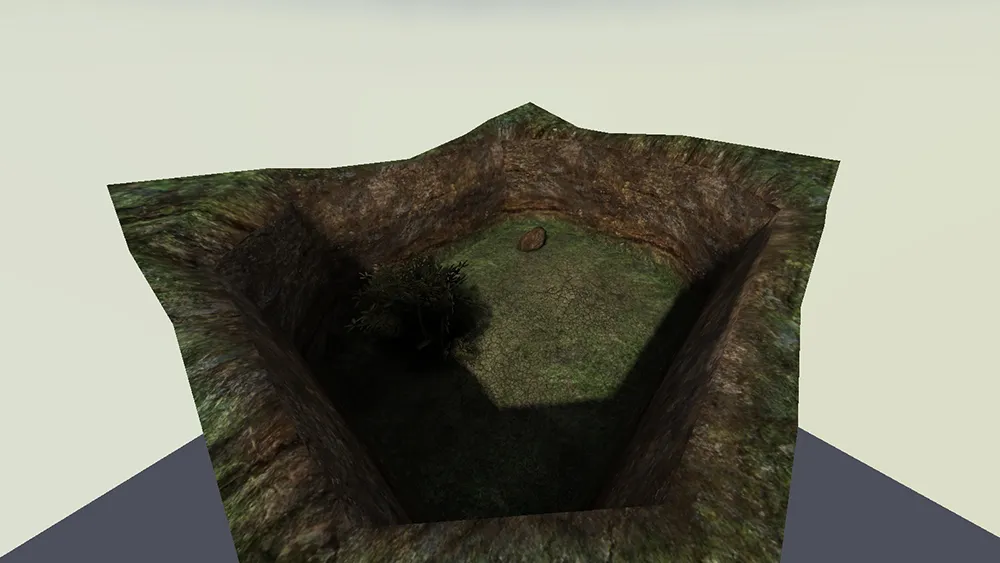
As you can see, the shadows look nice and crisp, and there is actually difference with light and dark. Now what happens when we have 4 identical rooms, each with different skies? I copied the room 3 times, changed the sky textures so that the map has a room with Oasis, Fueldump, Goldrush and Radar skies. Here is the same room.
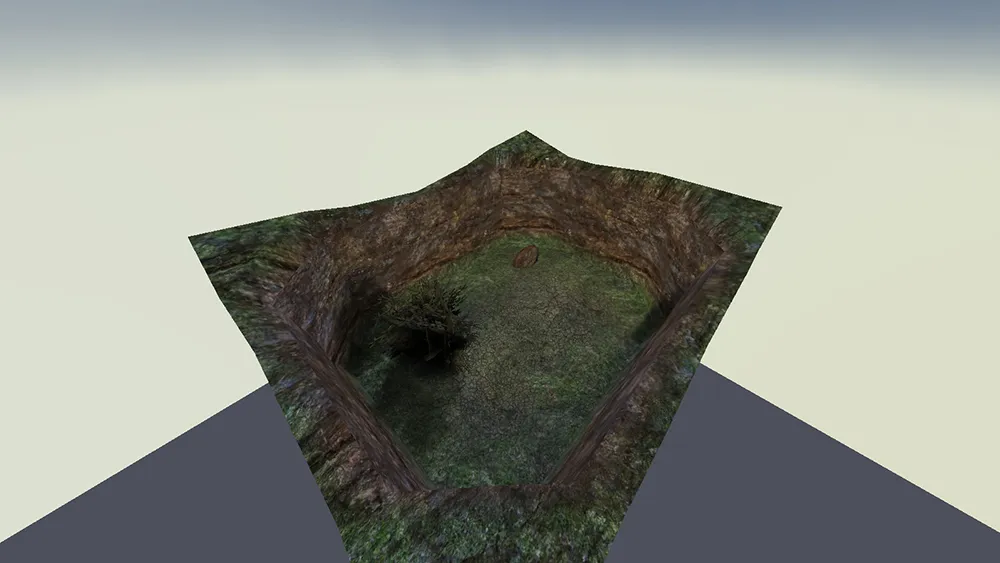
As you can see, the lighting has changed a lot: Shadows are dull, and the map in general looks too bright. Also, here are the other rooms. Notice how the lighting is exactly same in every room, despite the different skies.
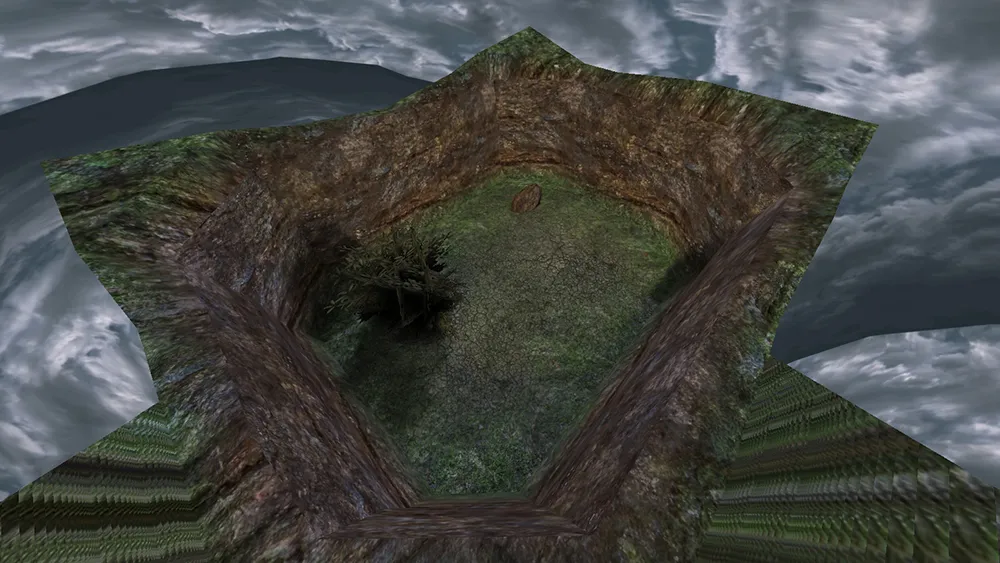
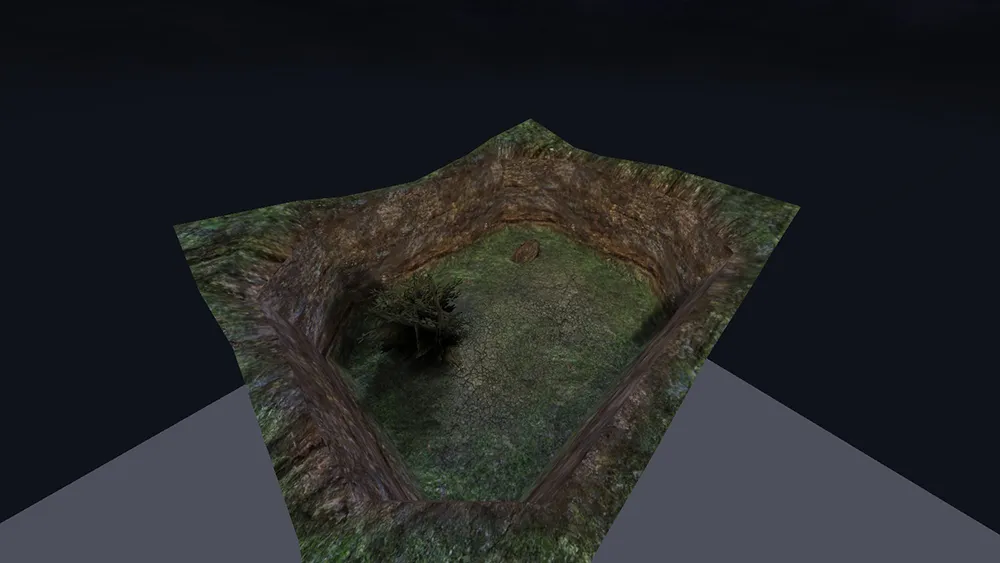
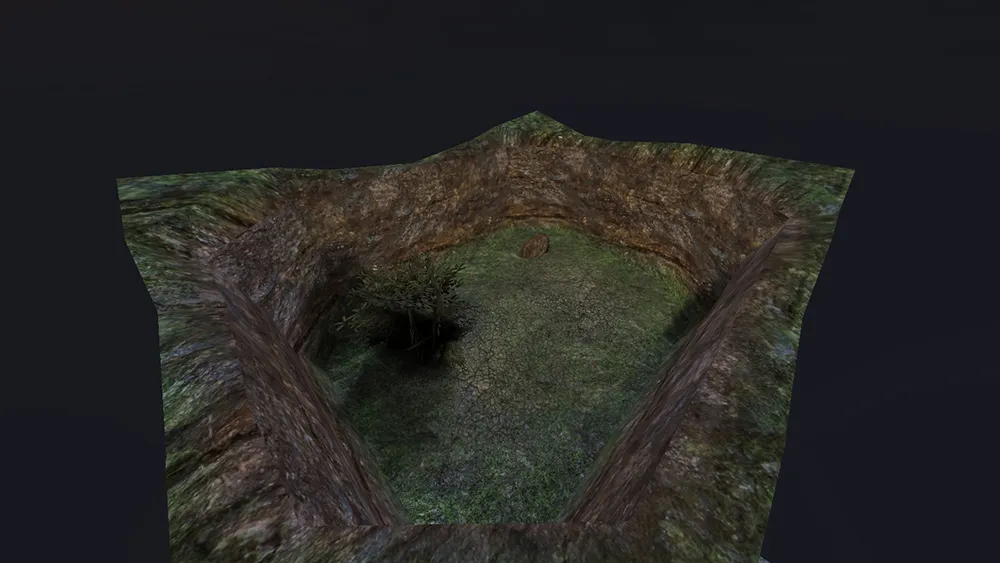
So what happened here?
Q3Map2 cannot apply different skylight conditions in different areas in the map, even when the rooms are sealed with structural brushes and every outer surface is caulk. What it does instead is add up all skyshader directives that produce light into the map, and combines them to light the whole map. You could probably modify Q3Map2 to properly support multiple skyboxes as the source code is available on GitHub, but that’s something a bit more advanced, and we are not going to do it. Instead we are going to work around this issue by modifying the sky shaders used in our map.
Fixing the shaders
First, let’s take a look at the 4 sky shader we used in our map (found in fueldump.shader, skies.shader and
skies_sd.shader).
// Fueldump Sky
textures/fueldump/fueldumpsky{    qer_editorimage textures/skies/fueldump_clouds.tga    q3map_lightrgb 0.8 0.9 1.0    q3map_skylight 85 3    q3map_sun 1 .95 .9 200 210 28    skyparms - 200 -    surfaceparm nodlight    surfaceparm noimpact    surfaceparm nolightmap    surfaceparm sky    {        map textures/skies/fueldump_clouds.tga        rgbGen identity    }    {        map textures/skies/fueldump_clouds.tga        blendfunc blend        rgbGen identity        tcMod scroll 0.0005 0.00        tcMod scale 2 1    }}
// Goldrush Sky
textures/skies/sd_goldrush{    qer_editorimage textures/skies/sky_8.tga    q3map_skylight 65 3    q3map_sun 0.3 0.3 0.45 60 35 45    nocompress    skyparms - 200 -    sunshader textures/skies_sd/full_moon2    surfaceparm noimpact    surfaceparm nolightmap    surfaceparm sky
    skyparms textures/skies_sd/wurzburg_env/sky 512 -

    {   fog off        map textures/skies_sd/goldrush_clouds.tga        tcMod scale 5 5        tcMod scroll 0.0015 -0.003        rgbGen identityLighting    }

    {   fog off        map textures/skies/nightsky1.jpg        tcMod scale 10 10        blendfunc add        rgbGen identityLighting    }
    {        fog off        clampmap textures/skies_sd/goldrush_mask.tga        blendFunc GL_SRC_ALPHA GL_ONE_MINUS_SRC_ALPHA        tcMod scale 0.956 0.956        tcMod transform 1 0 0 1 -1 -1        // rgbGen identityLighting        //rgbGen const ( 0.6 0.6 0.6 )        rgbGen const ( 0.4 0.4 0.4 )    }}
// Radar Sky
textures/skies/sd_wurzburgsky{    nocompress    qer_editorimage textures/skies/sky_8.tga    q3map_lightimage textures/skies/n_blue2.tga    q3map_nofog    q3map_globaltexture    q3map_lightsubdivide 256    q3map_sun 0.130 0.080 0.020 20 165 5    q3map_sun 0.281 0.288 0.370 80 35 40    q3map_sun 0.281 0.288 0.370 15 215 60    q3map_sun 0.281 0.288 0.370 10 35 50    q3map_sun 0.281 0.288 0.370 10 35 45    q3map_sun 0.281 0.288 0.370 10 35 35    q3map_sun 0.281 0.288 0.370 10 35 30    q3map_sun 0.281 0.288 0.370 10 40 40    q3map_sun 0.281 0.288 0.370 10 45 40    q3map_sun 0.281 0.288 0.370 10 30 40    q3map_sun 0.281 0.288 0.370 10 25 40    q3map_surfacelight 30
    surfaceparm noimpact    surfaceparm nolightmap    surfaceparm sky
    skyparms - 512 -    sunshader textures/skies_sd/small_moon
    {        map textures/skies_sd/wurzburg_clouds.tga        tcMod scale 2.5 2.5        tcMod scroll 0.003 -0.0015        rgbGen identityLighting    }    {        map textures/skies_sd/ydnar_lightning.tga        blendFunc GL_SRC_ALPHA GL_ONE        rgbGen wave triangle -8 9 0 0.137        alphaGen wave noise -3 4 0 2.37        tcMod scale 3 3        tcMod scroll 0.003 -0.0015    }    {        clampmap textures/skies_sd/wurzburg_fogmask.tga        blendFunc GL_SRC_ALPHA GL_ONE_MINUS_SRC_ALPHA        tcMod scale 0.956 0.956        tcMod transform 1 0 0 1 -1 -1        rgbGen identitylighting    }}
// Oasis Sky
textures/skies_sd/sd_siwasky{    nocompress    qer_editorimage textures/skies_sd/nero_bluelight.tga    q3map_lightimage textures/skies_sd/siwa_clouds.tga
    q3map_sun 0.75 0.70 0.6 135 199 49    q3map_skylight 75 3    sunshader textures/skies_sd/siwasunbright
    surfaceparm noimpact    surfaceparm nolightmap    surfaceparm nodlight    surfaceparm sky
    skyparms textures/skies_sd/wurzburg_env/sky 512 -
    {        fog off        clampmap textures/skies_sd/siwa_mask.tga        tcMod scale 0.956 0.956        tcMod transform 1 0 0 1 -1 -1        rgbGen identityLighting
    }}
If you are unfamiliar with shaders, you might want to take a moment to look at the Q3Map2 Shader Manual before proceeding.
To fix our issues with lighting, we need to modify the shaders so that there is only one sky in our map that produces light, while the rest are just pretty looking textures. To do this, we need to figure out exactly which directives in the shaders produce light. The shader manual helps us out here. These directives in sky shaders affect the lighting in our map (not all of them are used in these shaders obviously):
q3map_lightimageq3map_lightmapFilterRadiusq3map_lightRGBq3map_lightSubdivideq3map_noFastq3map_skylightq3map_sunq3map_sunExtq3map_surfacelightIn general we don’t need to worry that much about most of these, as they just modify the lighting instead of producing
it. The most commonly seen directives that actually produce light are q3map_skylight, q3map_sun, q3map_sunExt and
q3map_surfacelight in conjunction with q3map_lightSubdivide. To understand what these do, read the descriptions of
them in the shader manual.
Now that we know which directives we need to modify, it’s time to start editing the shaders. First, we create a shader file that includes the skies used in our map. Next, we change the paths of the shaders so that we don’t mess up the original sky shaders in the game. So for example, I renamed the shaders as following:
textures/skytut/fueldumptextures/skytut/goldrushtextures/skytut/radartextures/skytut/oasisNow we need to comment out every light producing directive in every shader except for one, which is going to be the only shader that produces light in the map. Another option is to change the intensity values of the light-producing shaders to 0. I chose Fueldump sky shader to produce light into the map, and commented out every light producing directive in the rest of the shaders. Now, in the map with 4 identical rooms each with different sky shader, here is the room with Oasis sky.
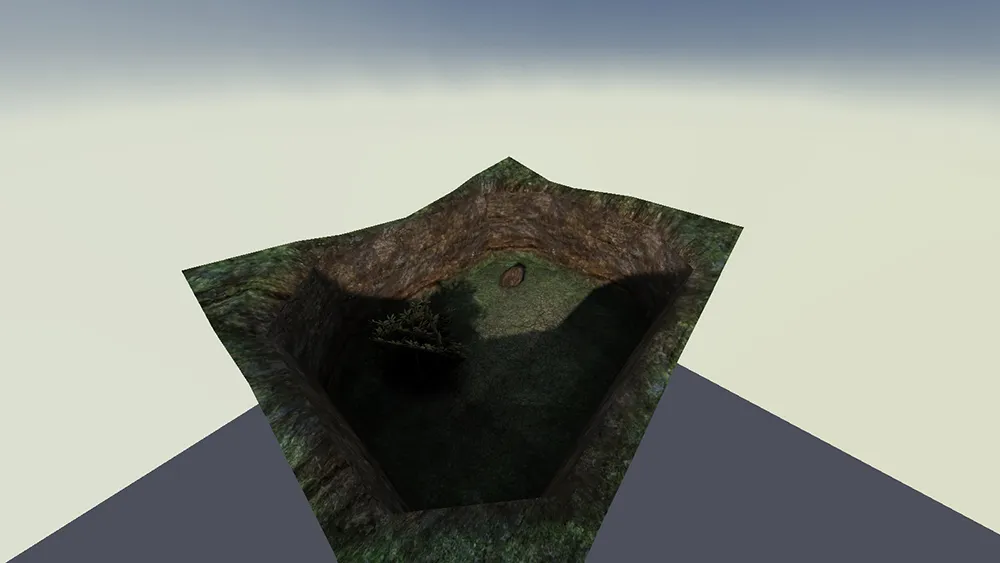
And a picture showing the lighting in every room.
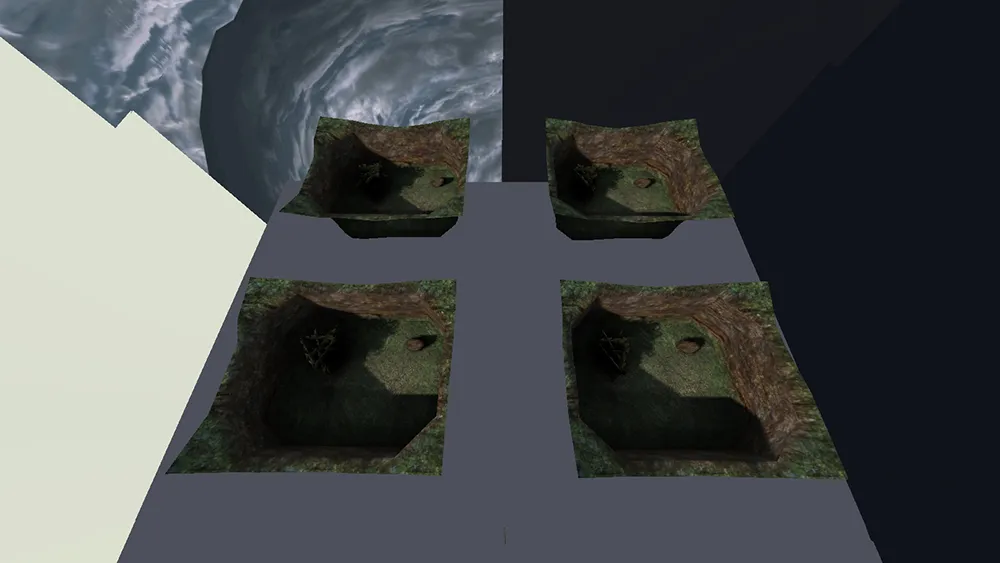
Now the rooms are all lit by the Fueldump sky, and we have proper difference between shadow and light again. The lighting is exactly same in every room, but they are not overly bright. As mentioned earlier, it is not possible to have different sky lighting conditions in different parts of the map, but with this method it’s possible to use multiple skyboxes while still maintaining crisp shadows and keeping the brightness level of the map natural.
Design notes
- You might want to further modify the light producing directives to find lighting conditions that look good on every sky. I recommend reading the article about light emitting shaders in the shader manual.
- Sunshaders should be commented out as well, since they are global for the whole map so they appear even on skies that have no sunshader directive.
- Light produced by
q3map_sunandq3map_sunExtfalls off with angle, but not distance. - In general, it’s recommended to use a combination of
q3map_sunExt,q3map_lightmapFilterRadiusandq3map_skylightto produce light on sky shader. Refer to the light emitting shaders article on shader manual mentioned earlier.
Tutorial by Aciz